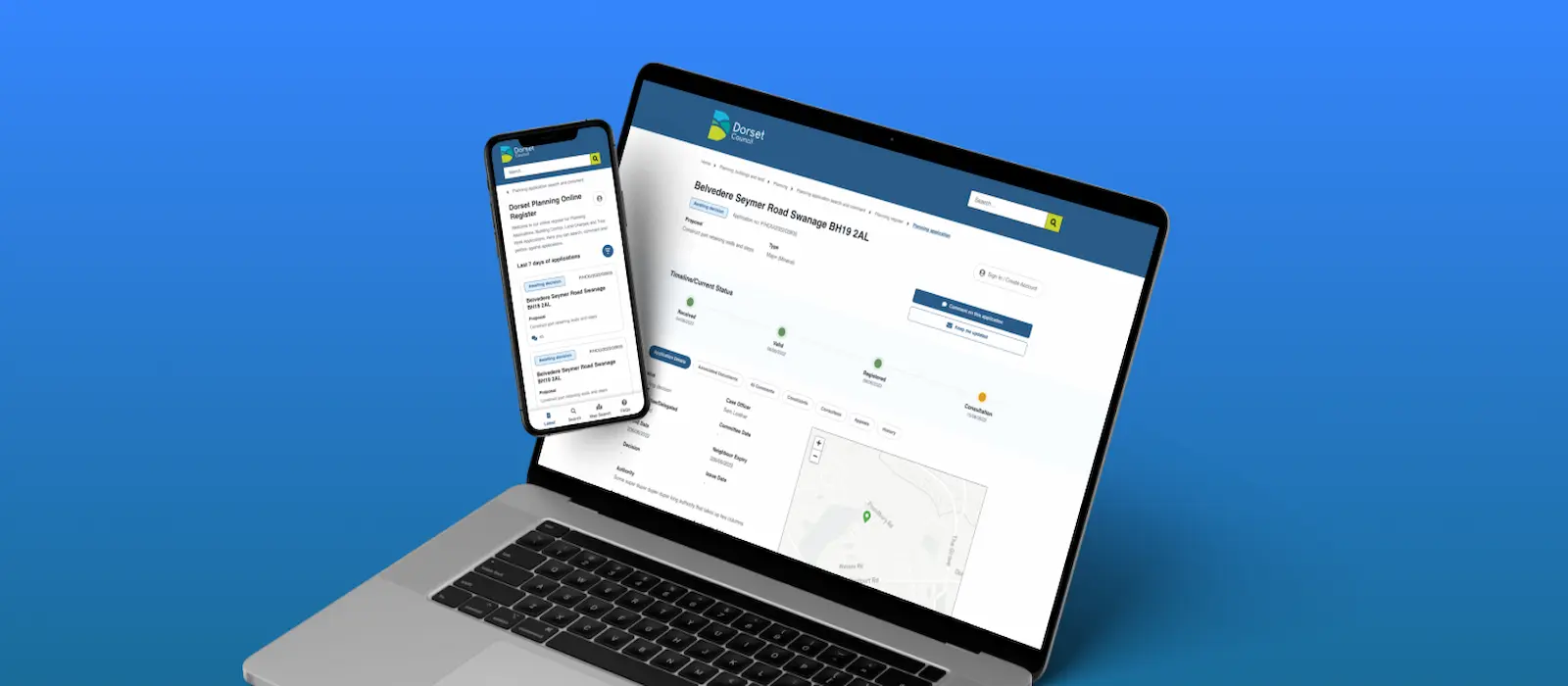
An overhaul to planning online
Dorset Council were going through a period of digital transformation in planning and as part of this had received funding from the Department for Levelling Up, Housing and Communities to help improve their services to the general public, consultees and ward/parish officers.
Dorset commissioned DEF Software to help transform their planning register into an online platform offering services such as tracking applications, subscribing to applications and RBAC-based login to offer better services to internal/external consultations.
I was brought into the project to help collaborate with Dorset on the designs for the online platform.
Timeline: 2022-Ongoing
Process: Agile
Roles: UX/UI design, service design, UX research
Finding the weak spots
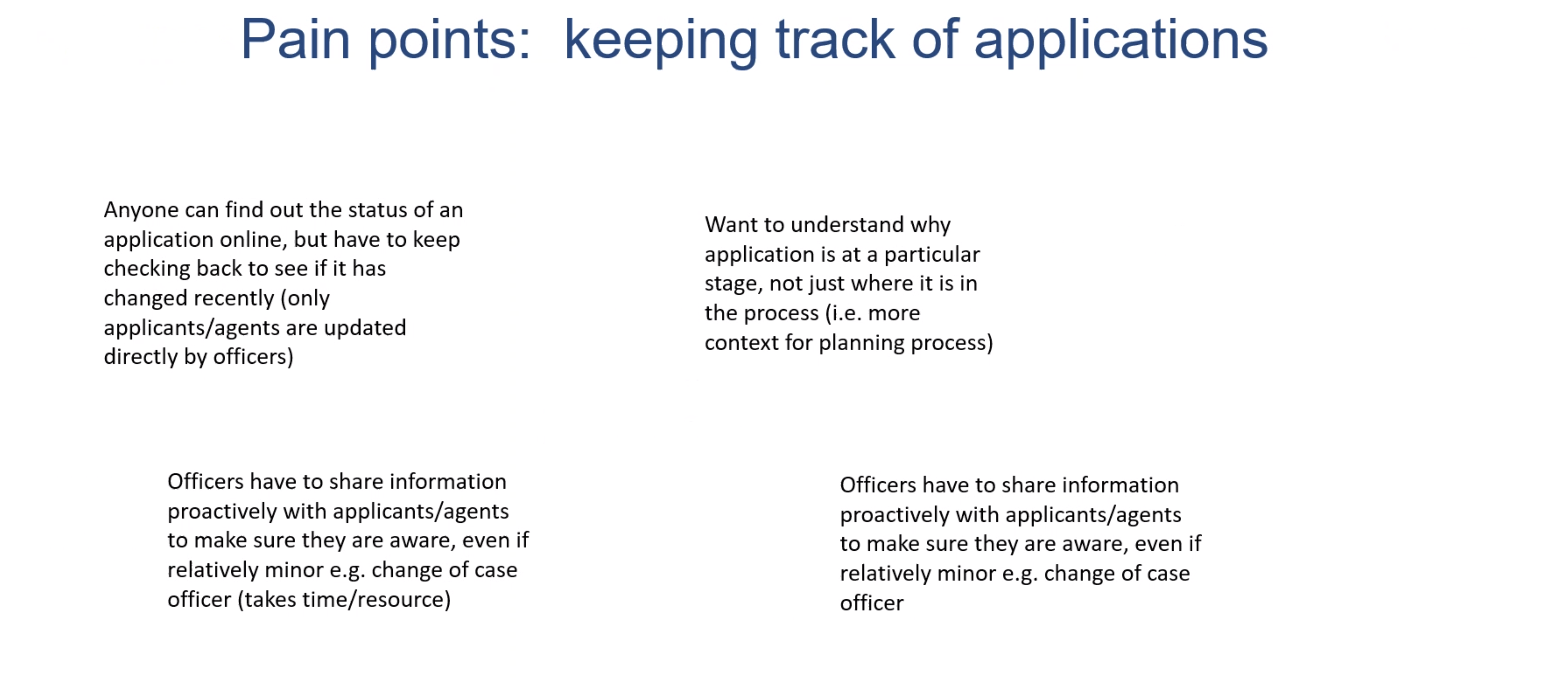
Major pain points briefed at first Dorset meeting
When I first got brought into the project I collaborated with Dorset to analyse the research they had done so far and do some of my own. I found that DHLUC had invested the money mainly into a new service to allow members of the public to set up their own alerting rules to keep track of applications in a way that best fits them.
Originally, this was what I was first tasked with but I also wanted to take on board what I learnt from re-designing the Norfolk register and bring my findings over to this new platform. I also saw an opportunity to create a modern website that would serve as a good basis for all the future registers we create; I took this idea to my manager and he agreed it’d be a great time/cost saving if we get this right.
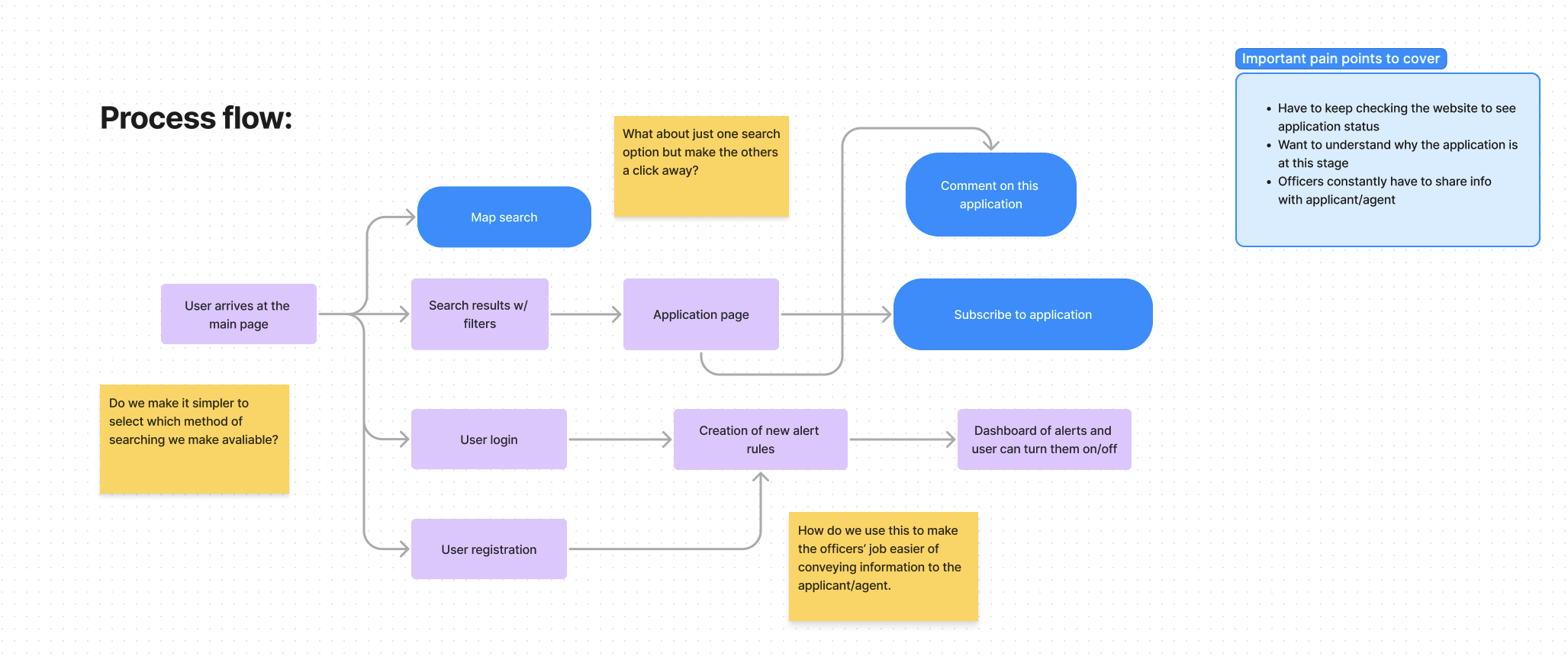
Process flow diagram
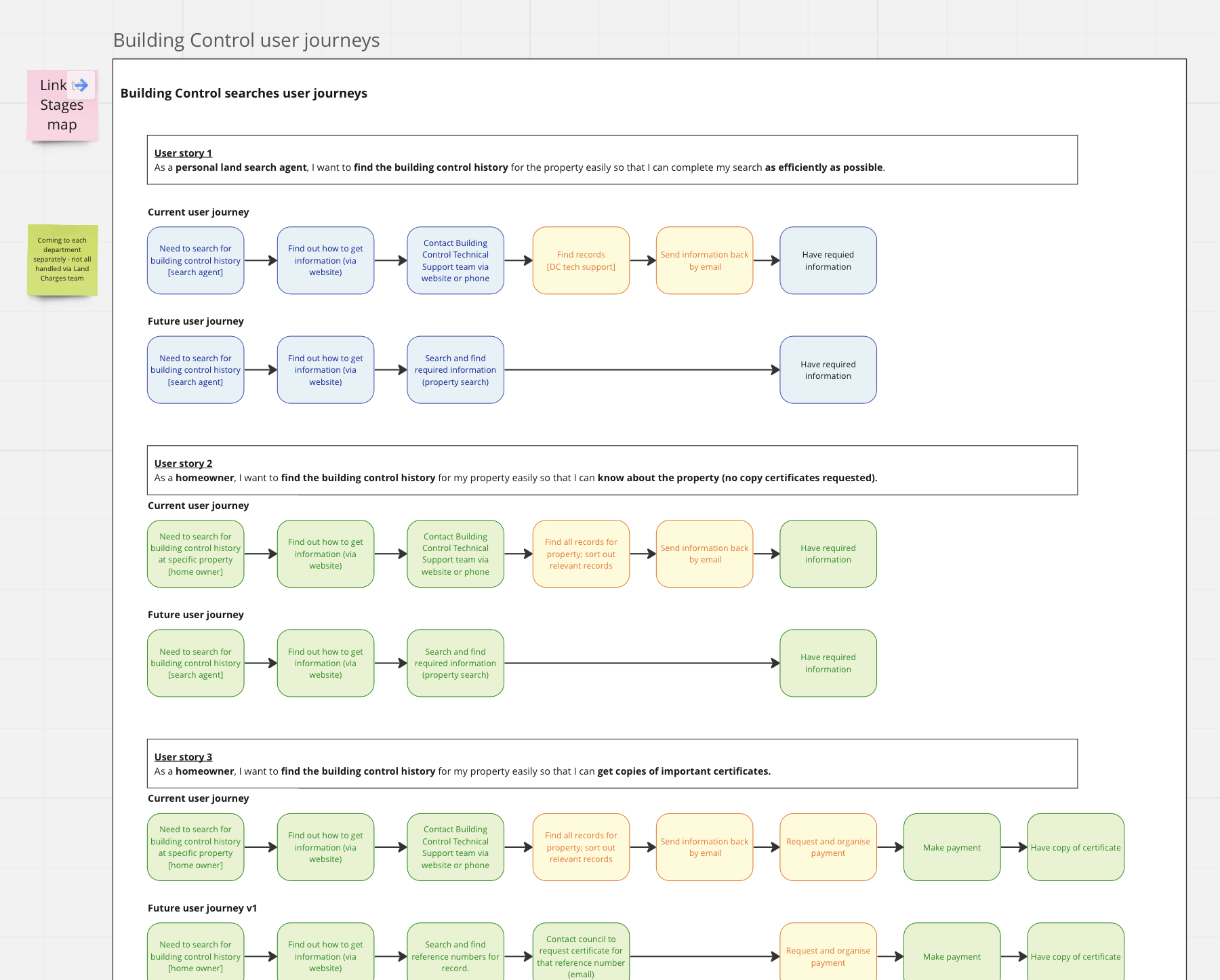
Collaborative process mapping
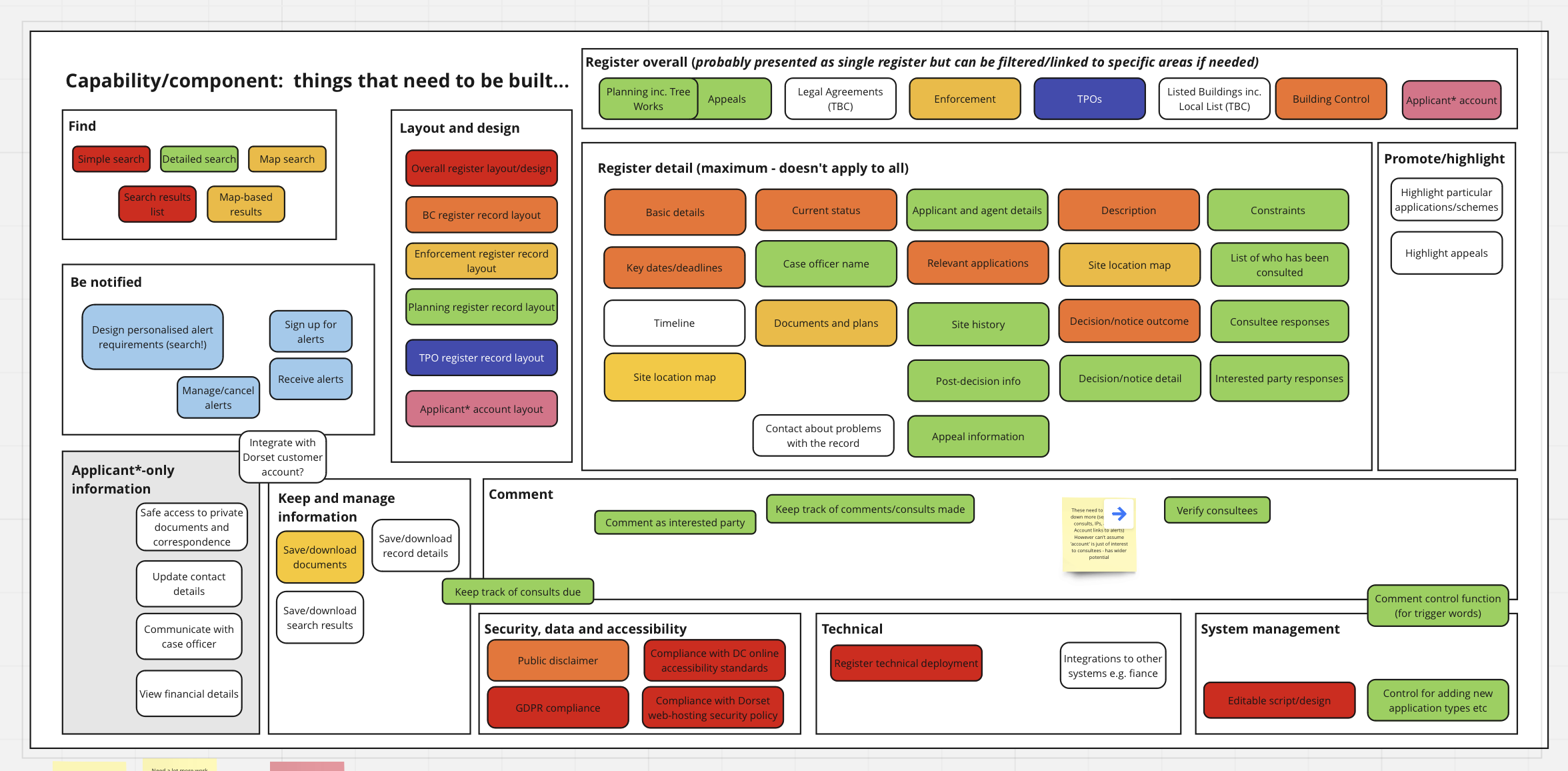
Collaborative process mapping
The first major task
One of the major goals of the project was getting the alerting service to work well. Based on the pain points and user research Dorset had done, I was able to put together a rough prototype of my ideas which we reviewed and continued to iterate.
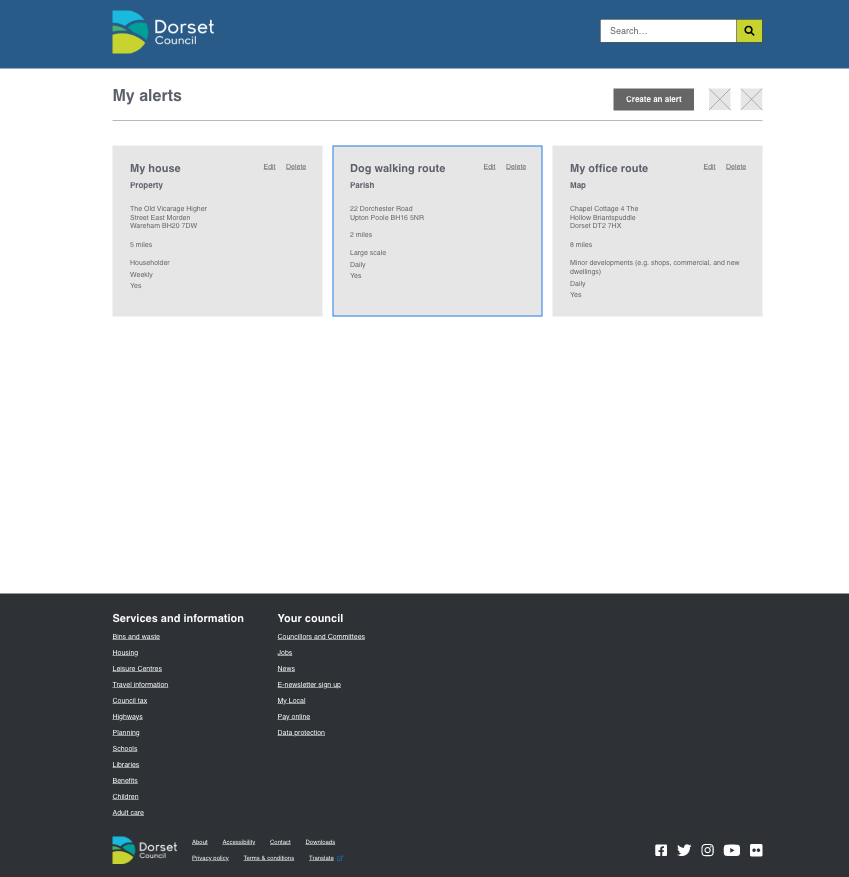
One of the earliest prototypes
We wanted a simple dashboard for logged in users to view alerts and turn them off with ease, but the simple dashboard served a twofold: making alerts easier to view and allowed easy expansion for new areas of the platform that members of the public wouldn’t have access to e.g. consultation area. RBAC would control this, however, I wanted room in the prototype if we decided to add more features.
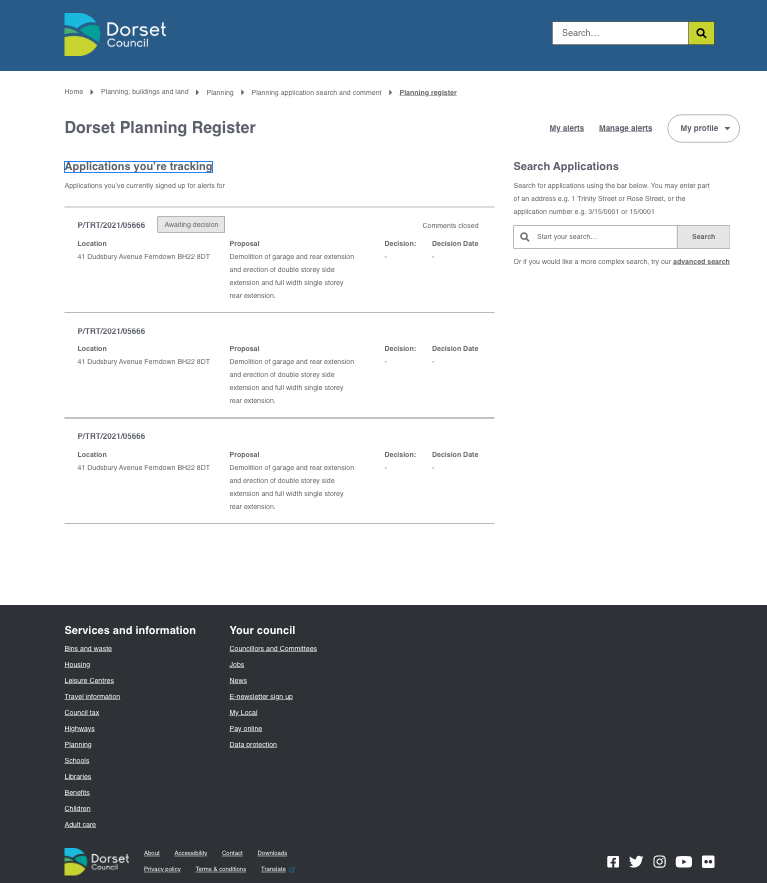
More low-fi wireframes
We trailed out different ways of creating alerts: through a 2 step wizard and with maps. Ideally, we wanted different ways users could create these alert rules. For example, a ward officer may track applications in an area where as a member of the public may just want to receive updates on the extension their neighbour is getting.
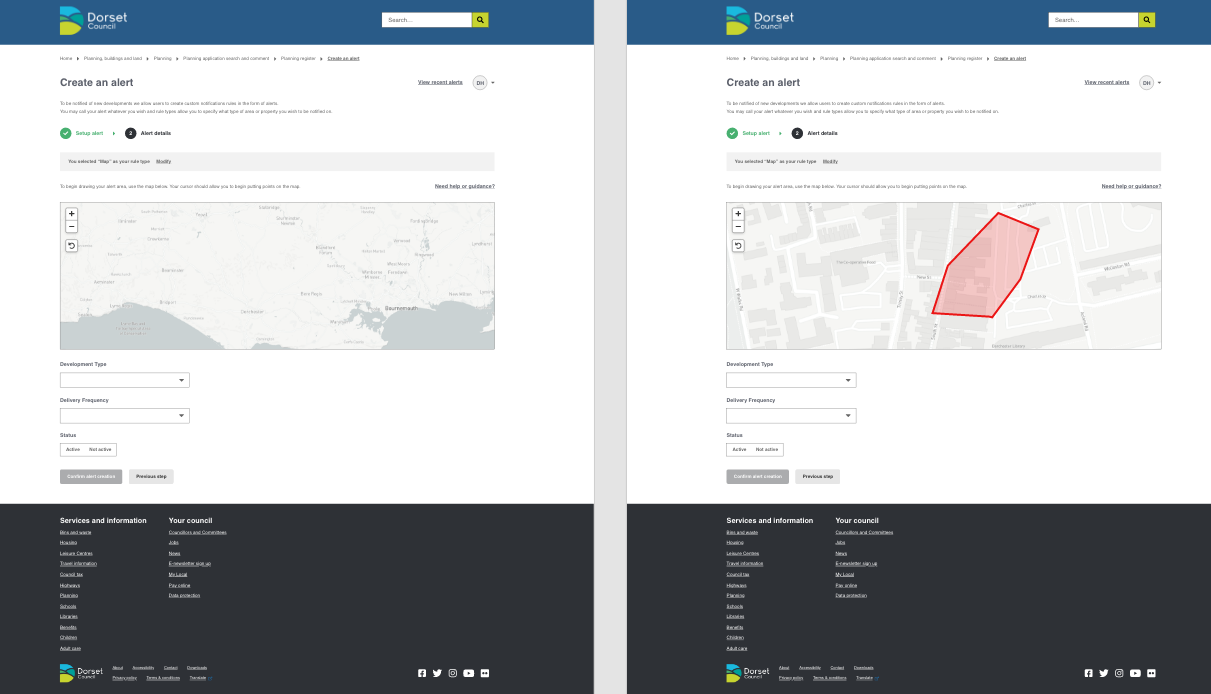
Designs around alert tracking to enhance application tracking
We continued to iterate the prototype based on feedback from the team until we reached a higher fidelity state to user test with officers and the general public alike. The higher fidelity started to come together in the dashboard area where the user could configure and see all their alert rules
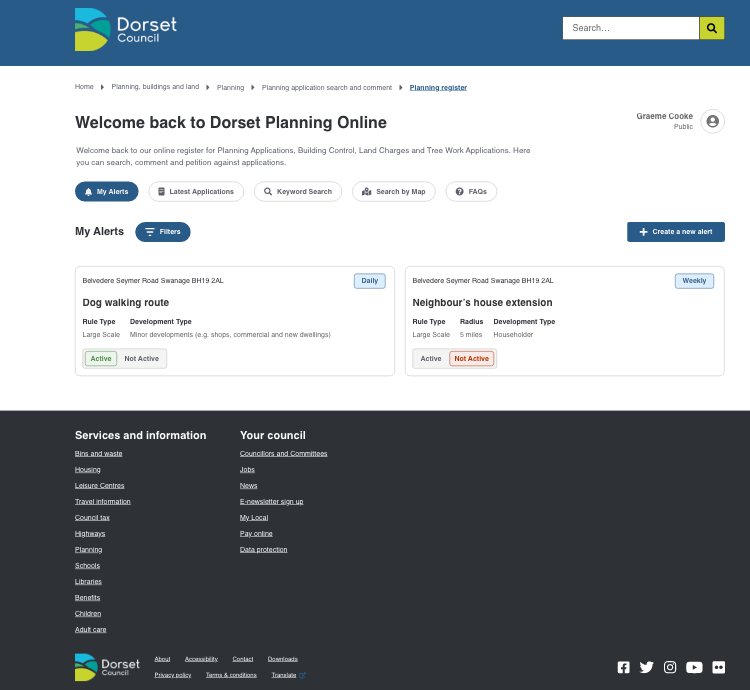
High-fidelity designs for the dashboard of a user account
Meanwhile in other areas…
Alongside the alerts I started pushing the other areas of the platform when I had time. Taking inspiration from other councils planning websites I implemented some new ideas for viewing an application’s lifecycle. This new design showed the lifecycle of the application from received all the way to decision but it broke down the steps in a timeline with a colour to indicate the status.
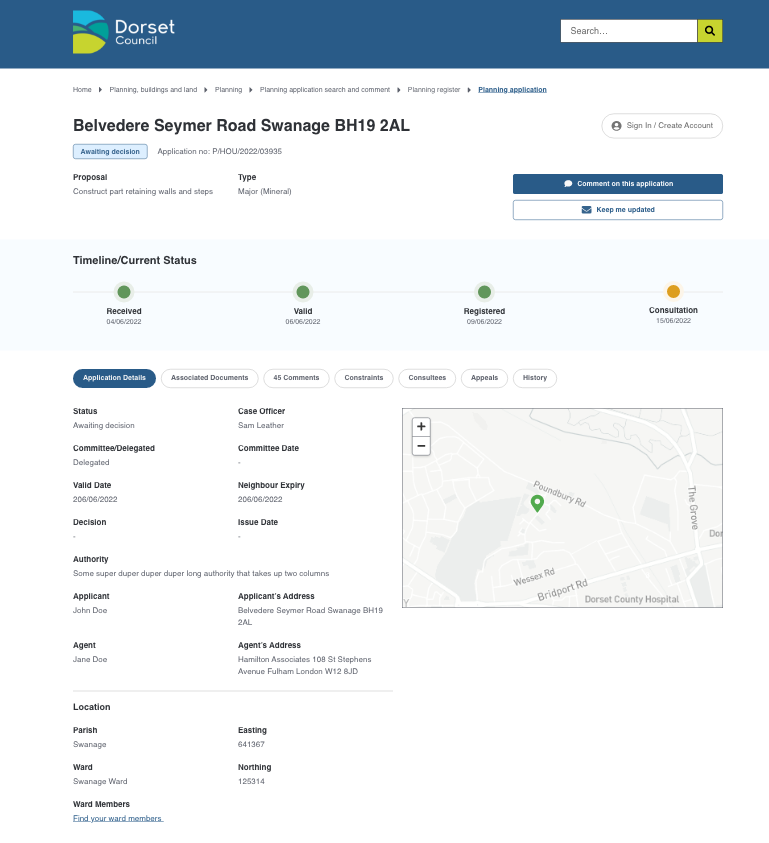
High-fidelity design for the application page
I also started to push the designs for mobile on the side to make sure what we were designing on desktop could work on a smaller device.
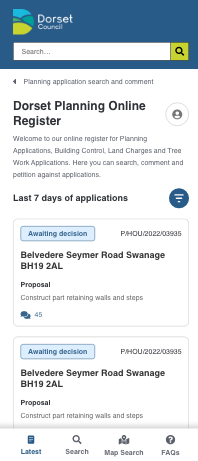
Example of the mobile design
The result
So far officers at Dorset have expressed delight and interest in the project and some of the iterated designs have been a major hit in terms of simplifying usability, accessibility and more options for different audiences to track planning applications.
We also started user testing with residents and consultees which have responded positively overall; giving us actionable feedback in areas we had missed. We also had fantastic feedback from key stakeholders in Dorset, who are excited at what this platform could provide; even convincing some officers of the benfit of publishing data for residents and consultees when previously they were afraid to make certain information about an application public.
Some residents have expressed amazing feedback for the inclusion of features like a timeline of the application, or the fact that the map (showing the application site boundary plot) is visible on the page when they go to it.
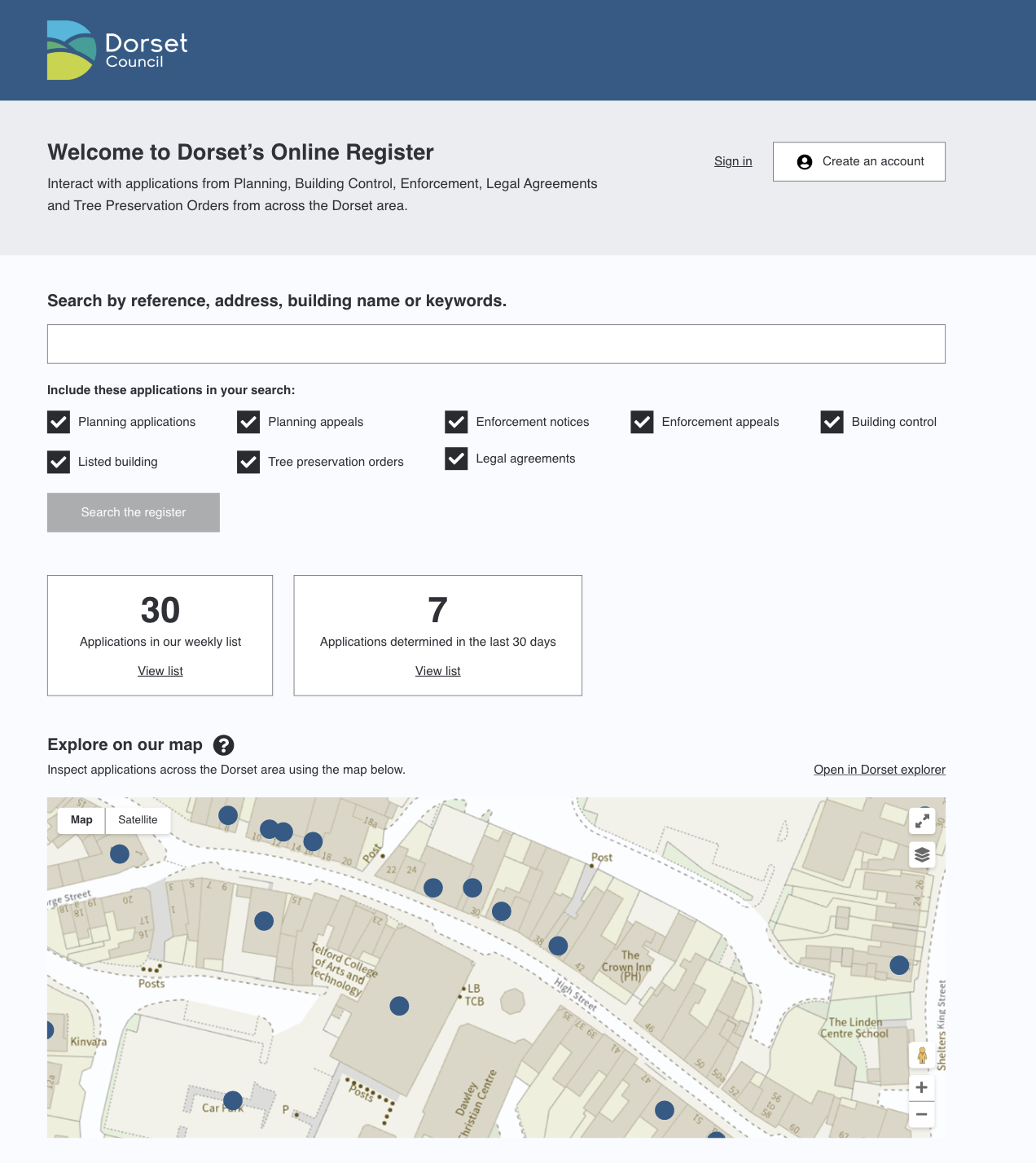
A recent of the search page
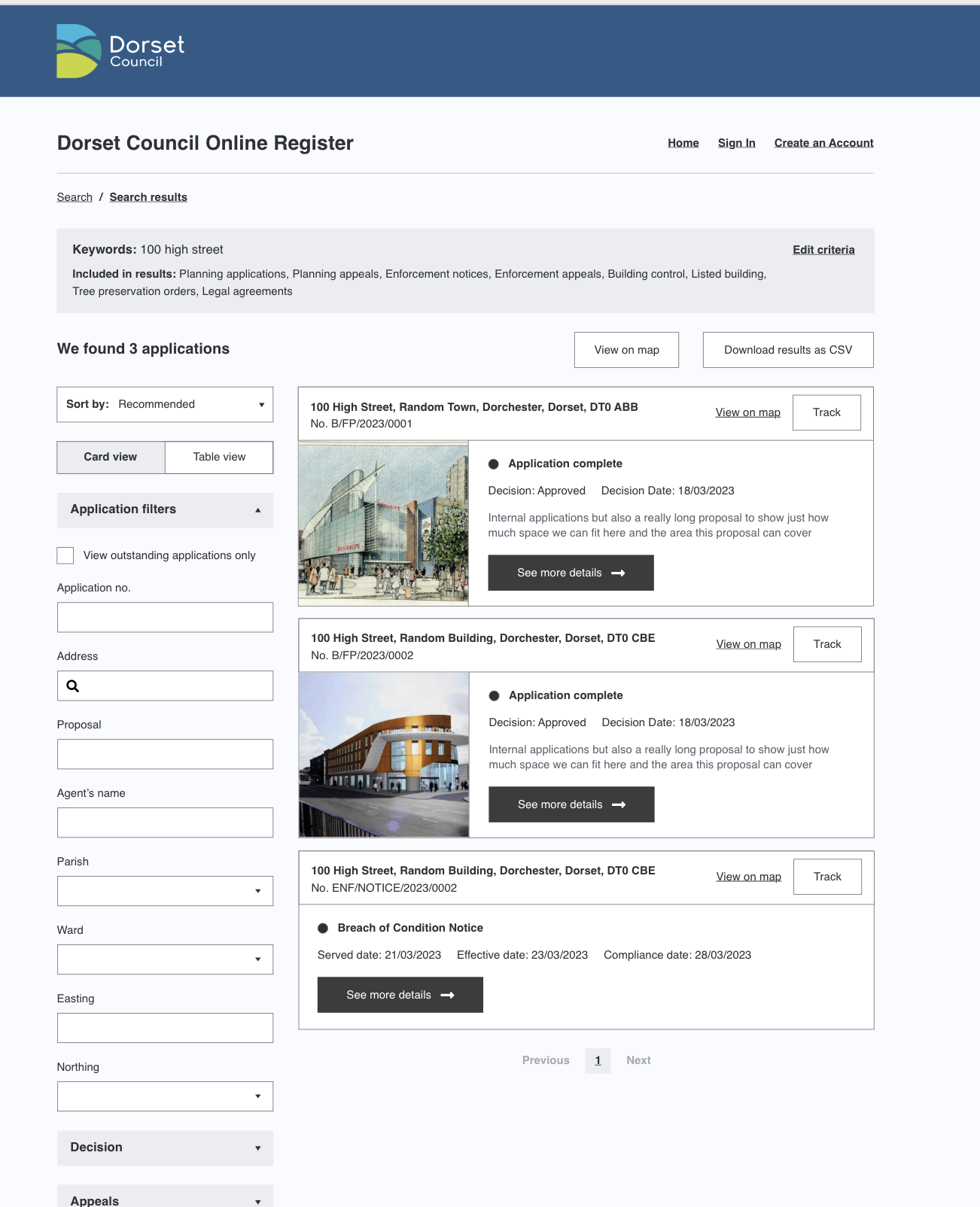
A recent design of the search results page
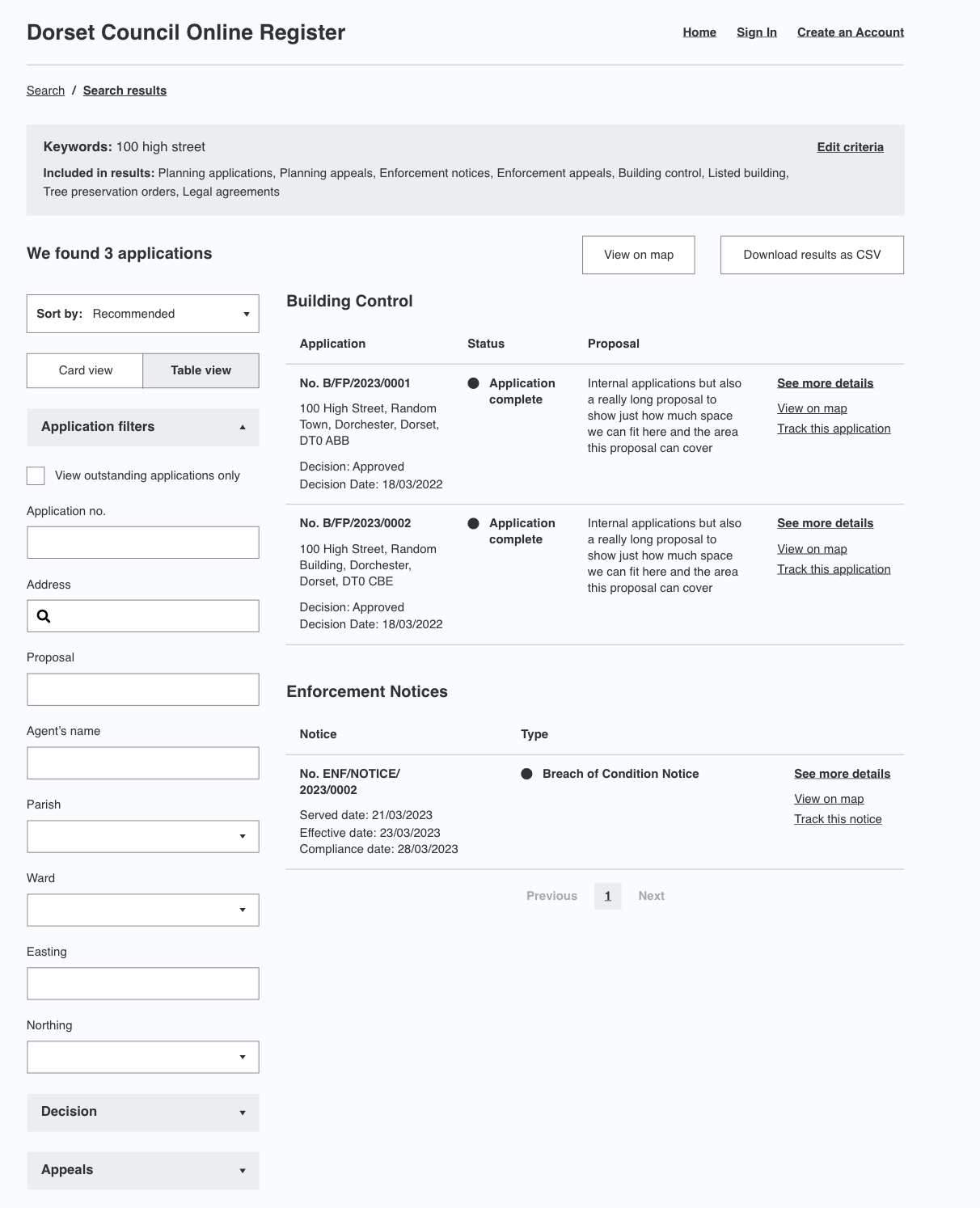
After user feedback, had also included table views
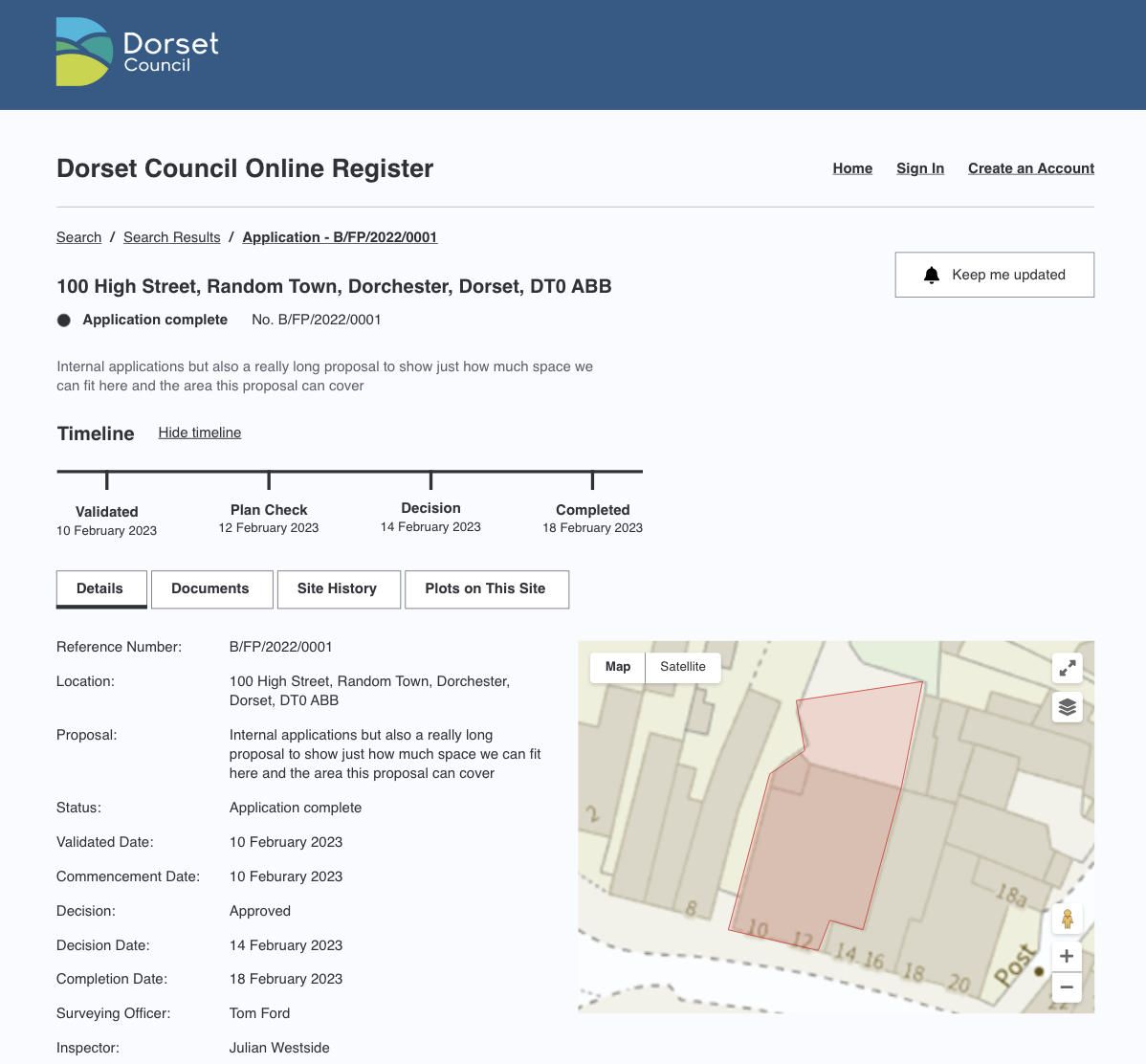
A recent design of application page
This project so far has not only delighted officers and members of the public, but is also pushing boundaries on what a “planning register” should be.
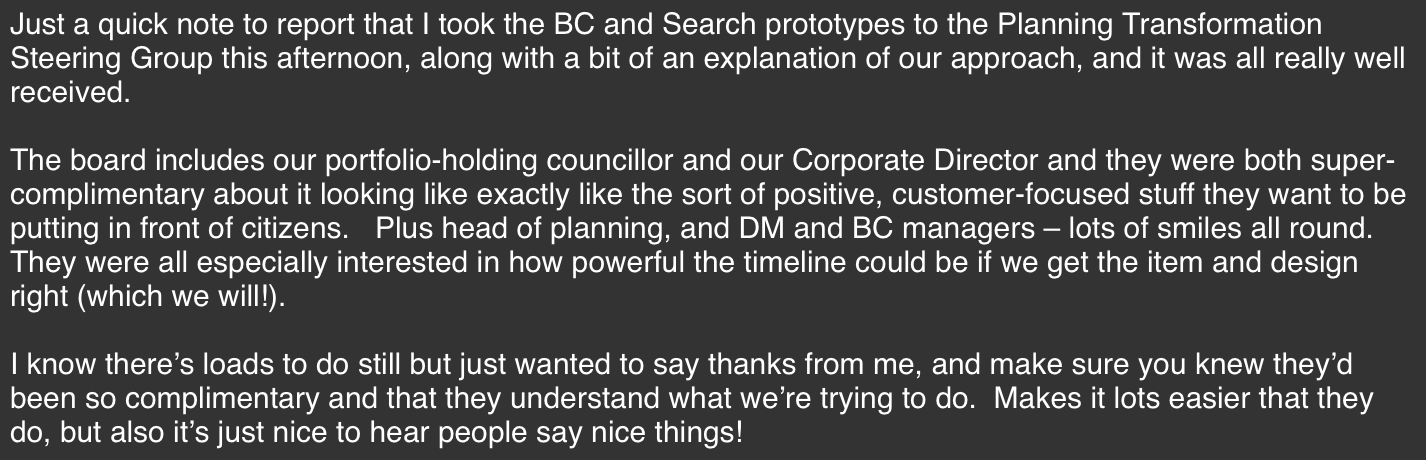
Feedback from the first steering group
This project is still ongoing…